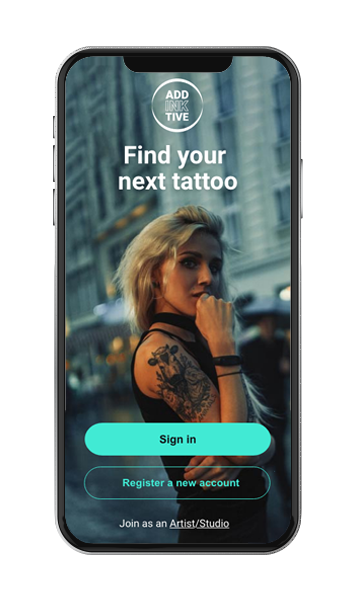
Addinktive is a global tattoo app for tattoo enthusiasts, collectors and artists
This project explores the need for tattoo enthusiasts that are looking to get their first or next tattoo.
My role:
UX/UI Designer
Timeline:
September 2020 –
May 2021
Methodology:
- Competitive Analysis
- User Stories & Personas
- User Interviews
- Affinity Mapping
- Card Sorts
- Remote Usability Testing
- Wireframing
Tools used:
- Adobe XD
- Usability Hub
- Optimal Workshop
- Marvel App
Overview
Getting a tattoo is a personal journey and a decision that should not be taken lightly. While some people get inked to follow society’s trends, for others it serves as a deep and meaningful signature, a reflection of personal identity. This app was my main project during the UX Designer program at CareerFoundry. It is a native app that focuses on providing inspiration and a booking system that connects users with artists across the globe.
Key points:
- People don’t always have time to sit in front of a computer and search for tattoo ideas on Google or Pinterest
- A tool that allows users to collect ideas and connect with artists to achieve the right tattoo
- Supporting users through the necessary steps to get a tattoo while helping to minimise regret
The Problem
In modern society, people are constantly on the move and often don’t have the time to search for tattoo designs on platforms like Google or Pinterest. While getting a tattoo may only take a few hours, the process of finding the perfect design or the right artist can take several months. People want reassurance that they are receiving a high-quality service and want to minimise the risk of regret after getting tattooed.
The Solution
Create an app that enables users to save their searches and discuss their tattoo ideas. The app will allow users to connect and communicate with different artists before booking an appointment directly through the platform.
The Process
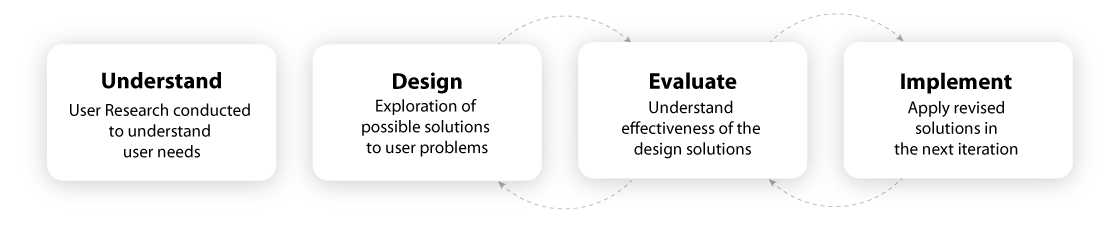
User Interviews
The idea of getting a tattoo can evoke a strong emotional response. Marking your body with a unique, personal design can feel both exciting and overwhelming. However, it can also bring a sense of fear. Common questions people may have include: Will it hurt? What if I don’t like it? Could I get an infection?
There are several factors people need to consider before getting a tattoo. I wanted to understand what motivates someone to go under the needle, as well as why they decide to get a tattoo in the first place. To better grasp the emotional starting point of this personal journey, I began by interviewing individuals who either have tattoos or are considering getting one.
Qualitative research:
I conducted five remote user interviews to understand:
- What motivates individuals to get a tattoo
- If they already have a tattoo, whether they would consider getting another one
Participants:
I interviewed both participants who had tattoos and those who did not. Including individuals without tattoos helped me understand the barriers that may prevent people from getting one.
Quantitative data:
I conducted an online survey to gather initial insights.
Affinity mapping
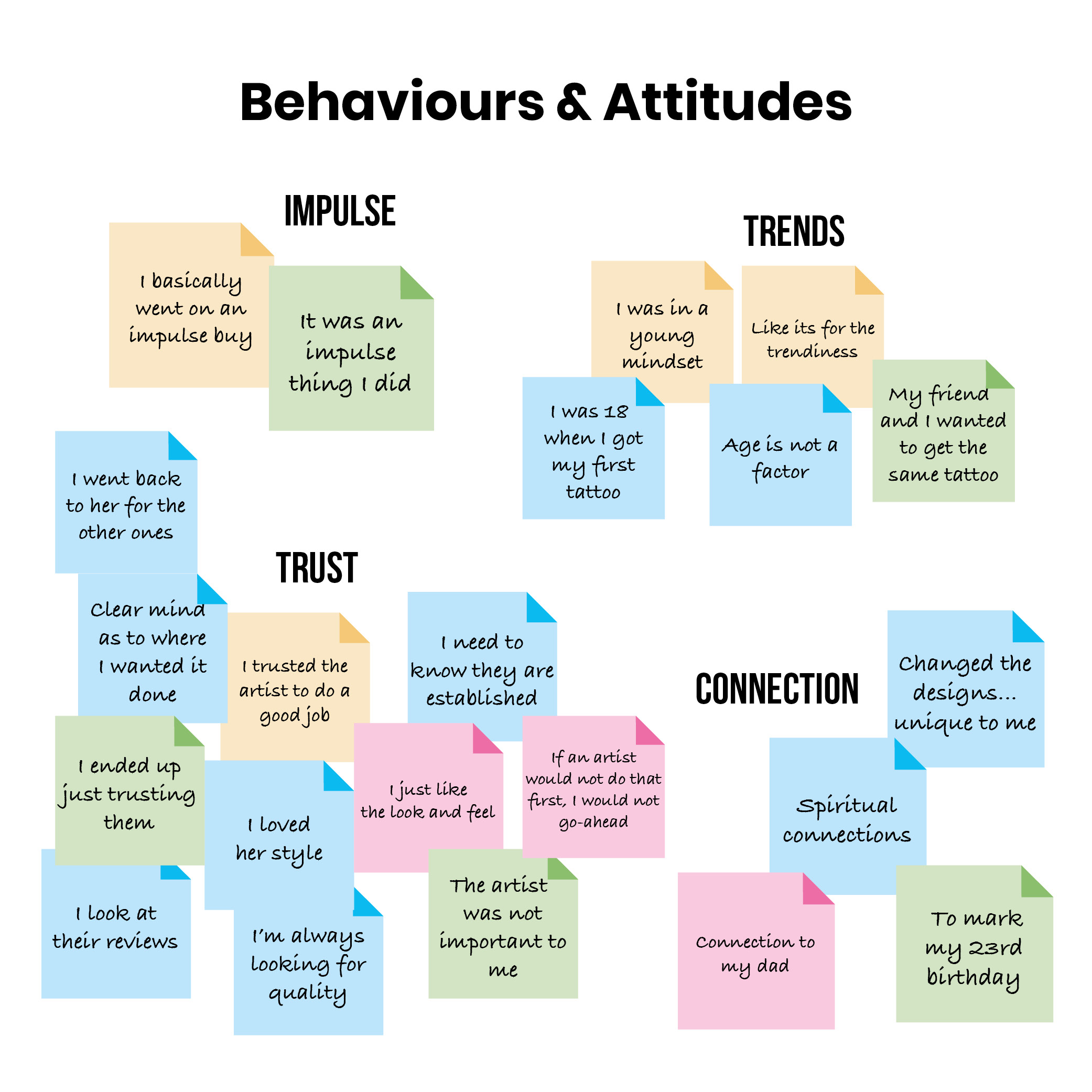
The next step was to create an affinity map based on the data collected from my user interviews.
I grouped the information into four categories:
- Behaviours & Attitudes
- Frustrations
- Needs & Goals
- Quotes & Facts
During this process, I identified key trends and recurring themes to better understand and synthesise the data.
Click on the boxes below to explore each category in more detail.
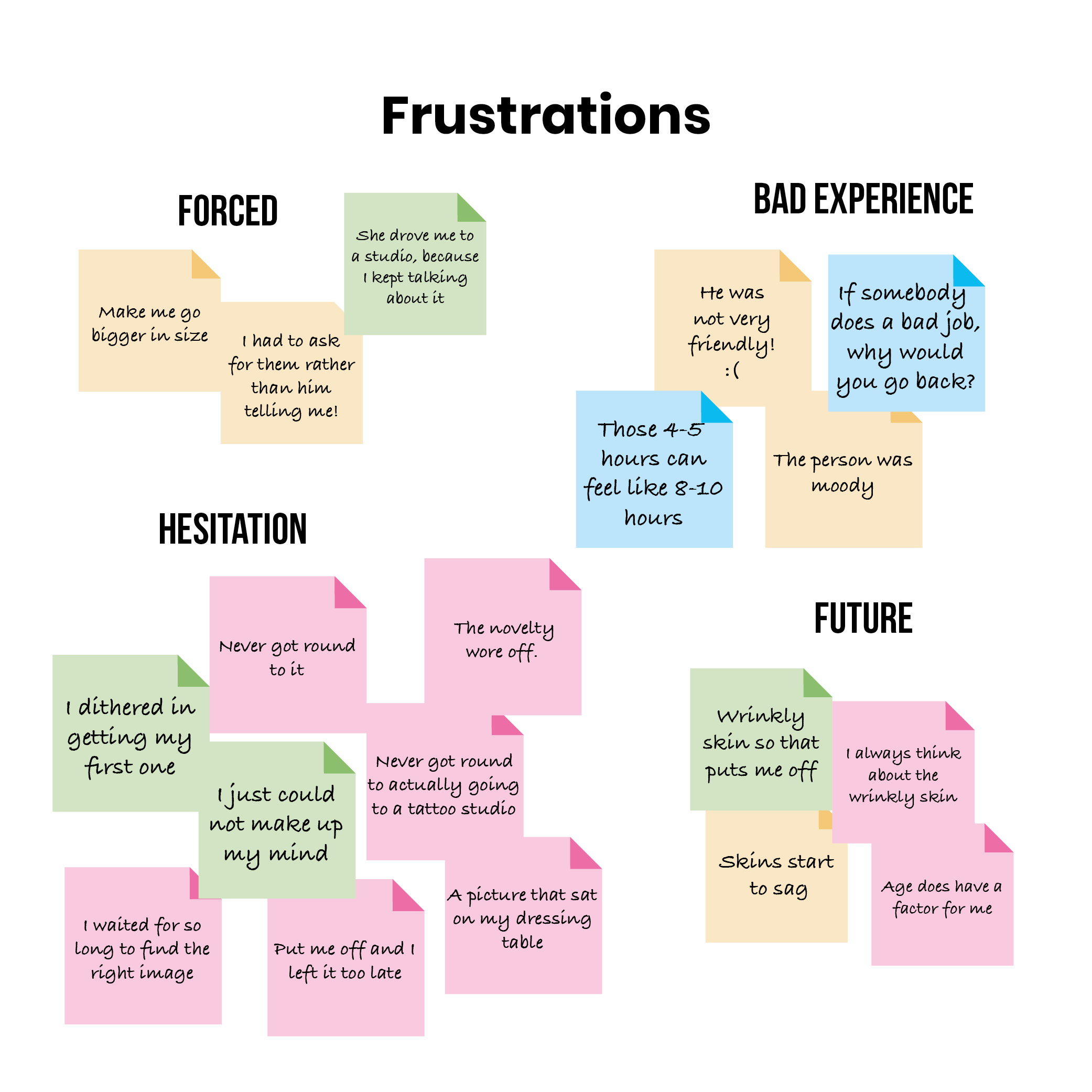
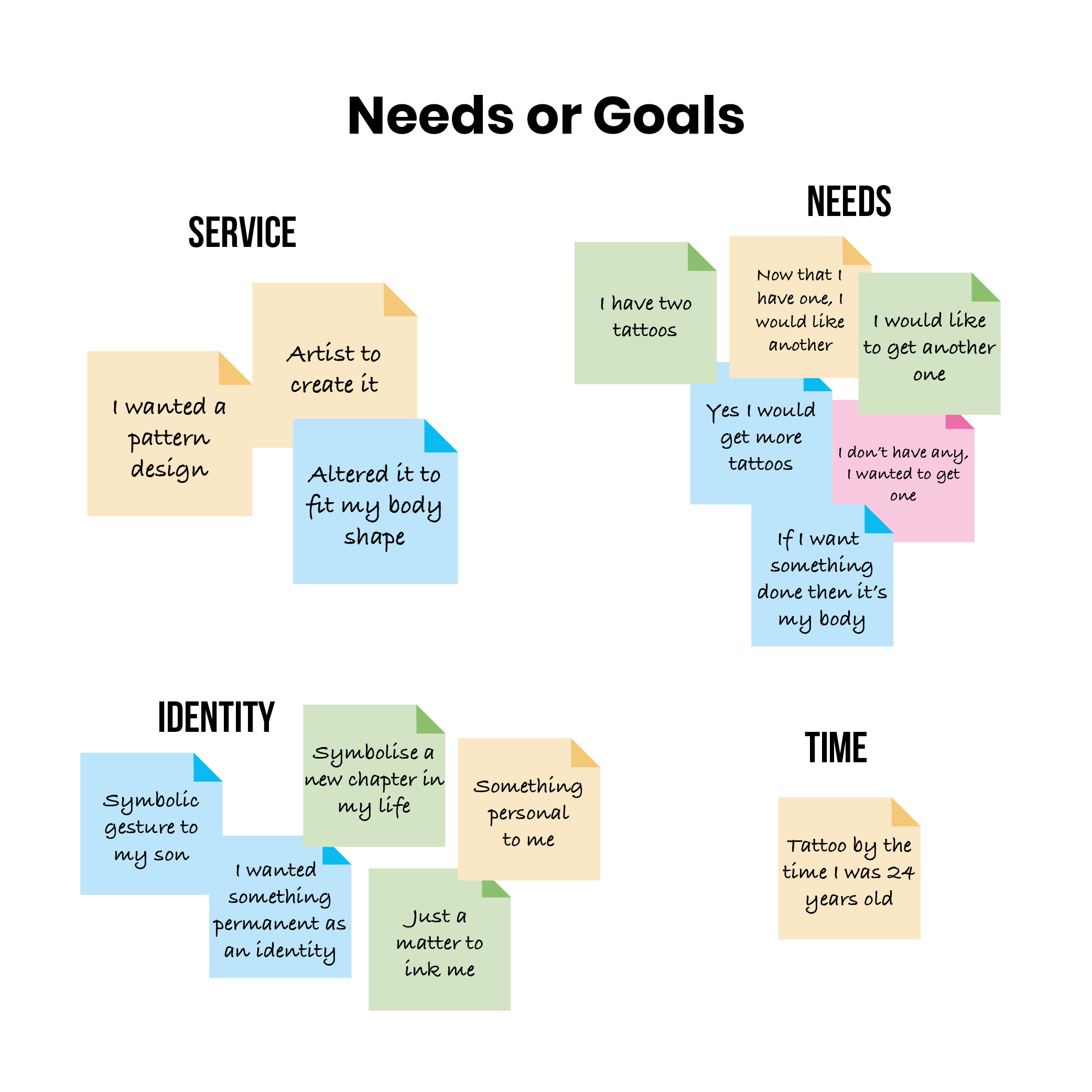
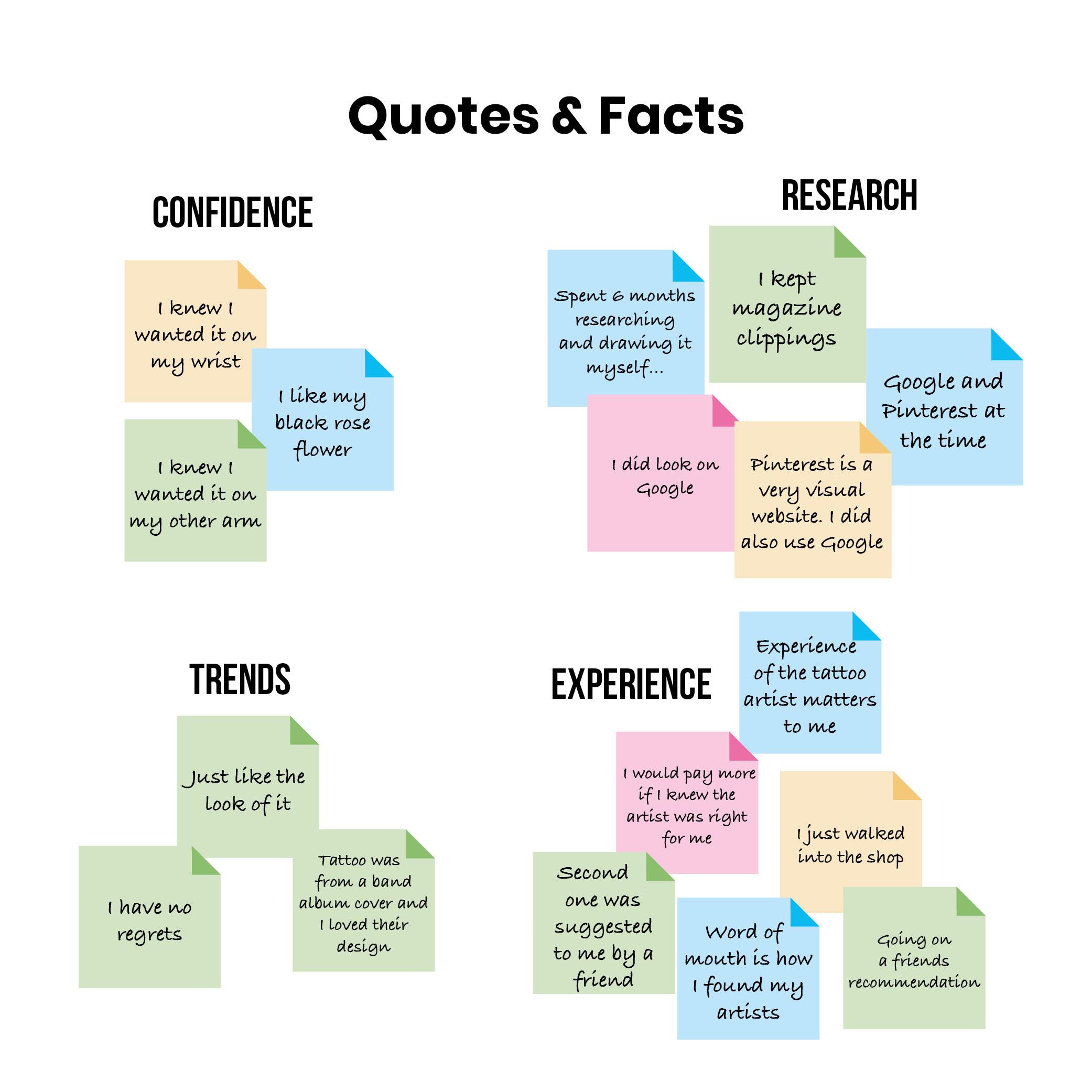
Key findings:
- People who get their first tattoo often go on to get another. Some participants even described becoming “addicted” to the sensation of the needle, which inspired the name of my app, Addinktive
- Many users expressed the need to find an artist they can trust. Having a well-established profile can significantly build that trust
- Some individuals are more inclined to consider getting a tattoo at a younger age, although the novelty can wear off if they don’t take the leap
User personas
I translated my findings and put them into context by creating two personas to empathize with my users. I used these as reference points during my design process.
I wanted my personas to:
- Be relatable, to help build empathy
- Capture the details of the user’s daily lifestyle, so I could identify their pain points and provide solutions relevant to their circumstances
Meet Jackson
Jackson is new to the tattoo world. He’s super nervous about getting his first tattoo and wants to avoid regret afterward. He wants to make sure he selects the right artist and gets a quality tattoo that is unique to him.
This is completely normal.
Understandably, Jackson wants to make the right choice, but what stood out to me about his story is that he has spent years procrastinating about going under the needle. He has spent years searching for the perfect tattoo, which ended up confusing him and preventing him from taking the leap.
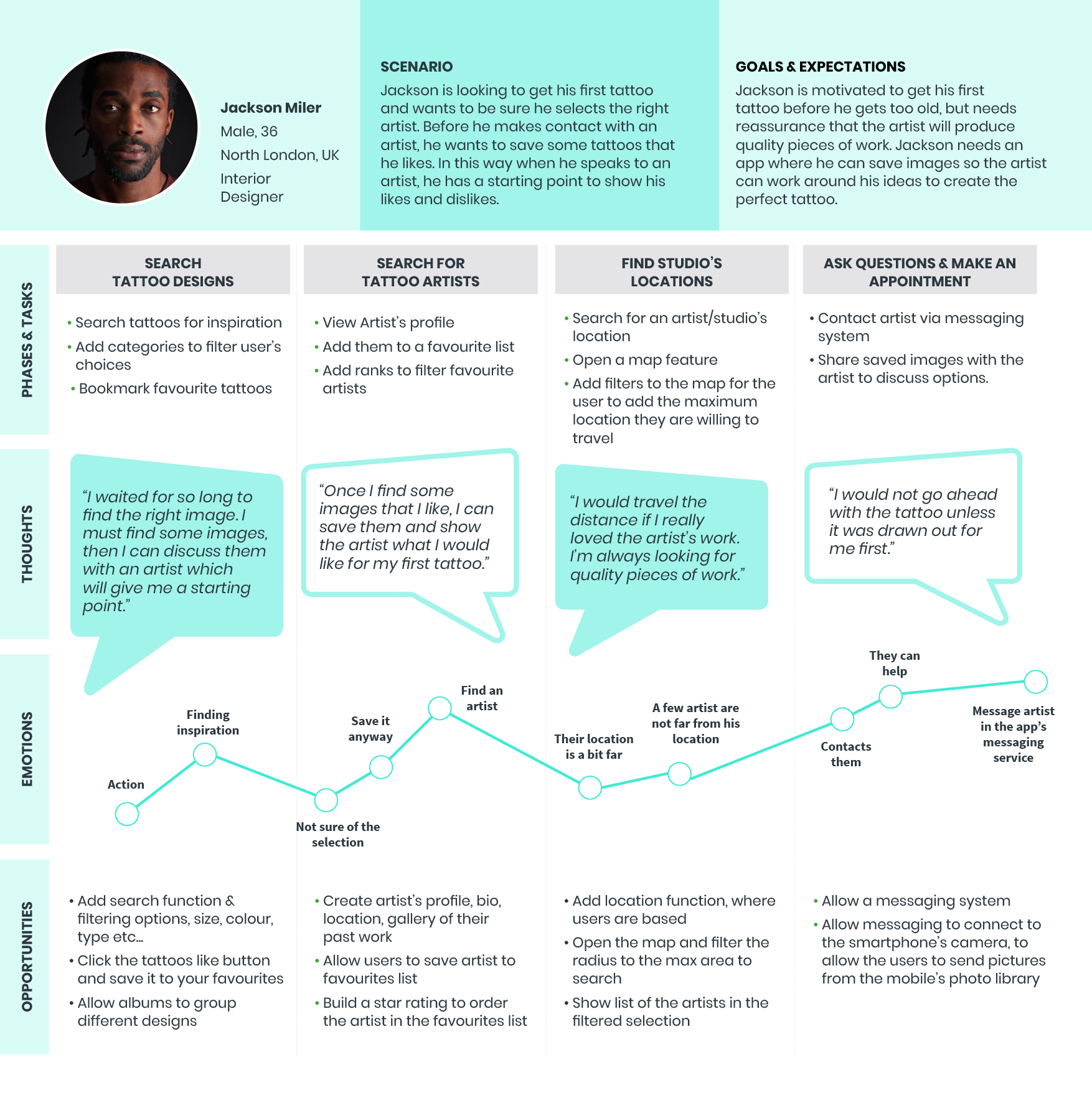
Jackson’s user journey
The mental model below illustrates the user journey I created to represent Jackson’s goals and feelings, guiding him as he navigates the process of finding a tattoo and booking an appointment with an artist.
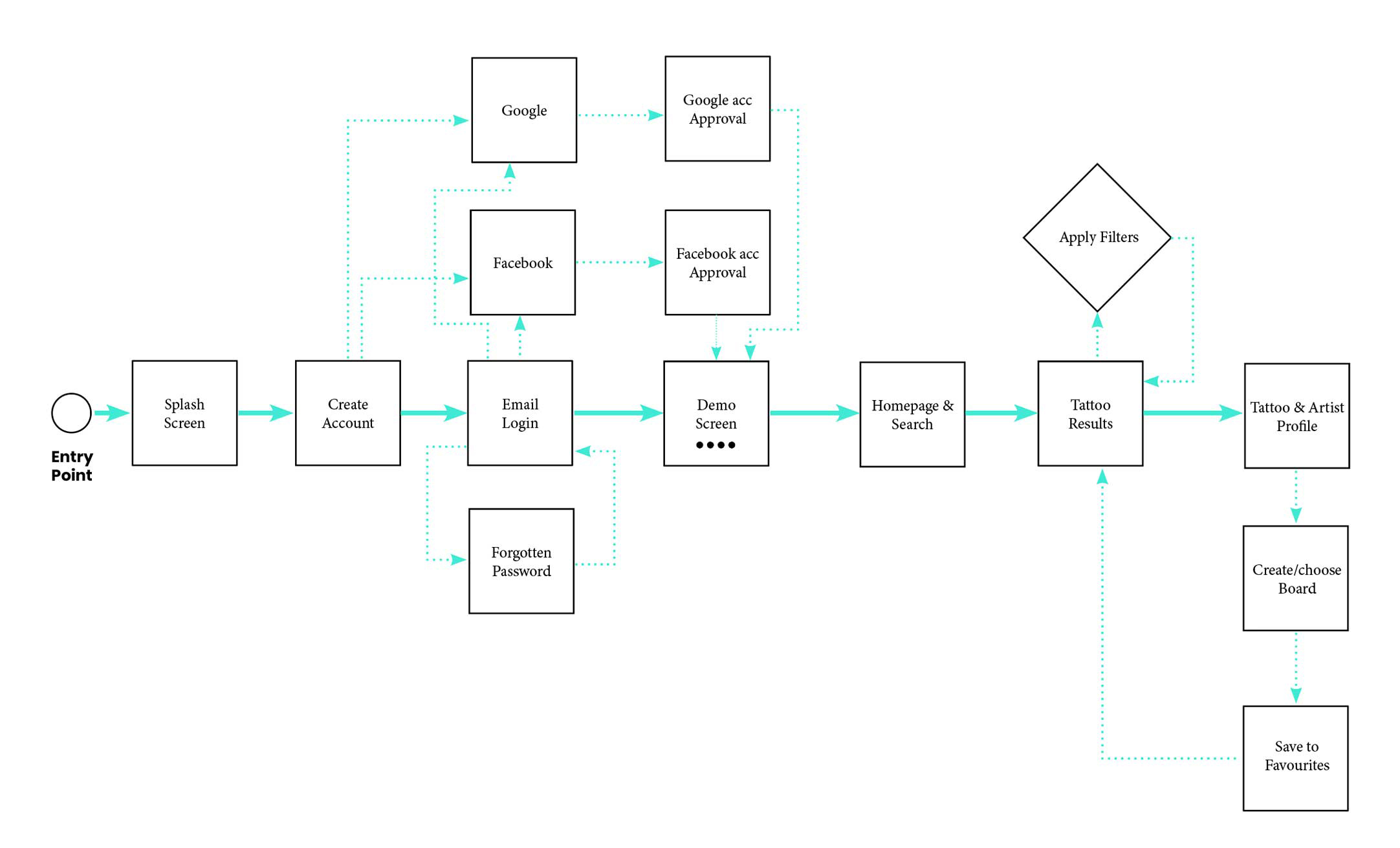
User flow
Once I understood Jackson’s tasks, thoughts, emotions, and opportunities, I created user flows designed to help him achieve his goals with minimal effort. Here is an example of one of his flows.
Low-fidelity wireframes
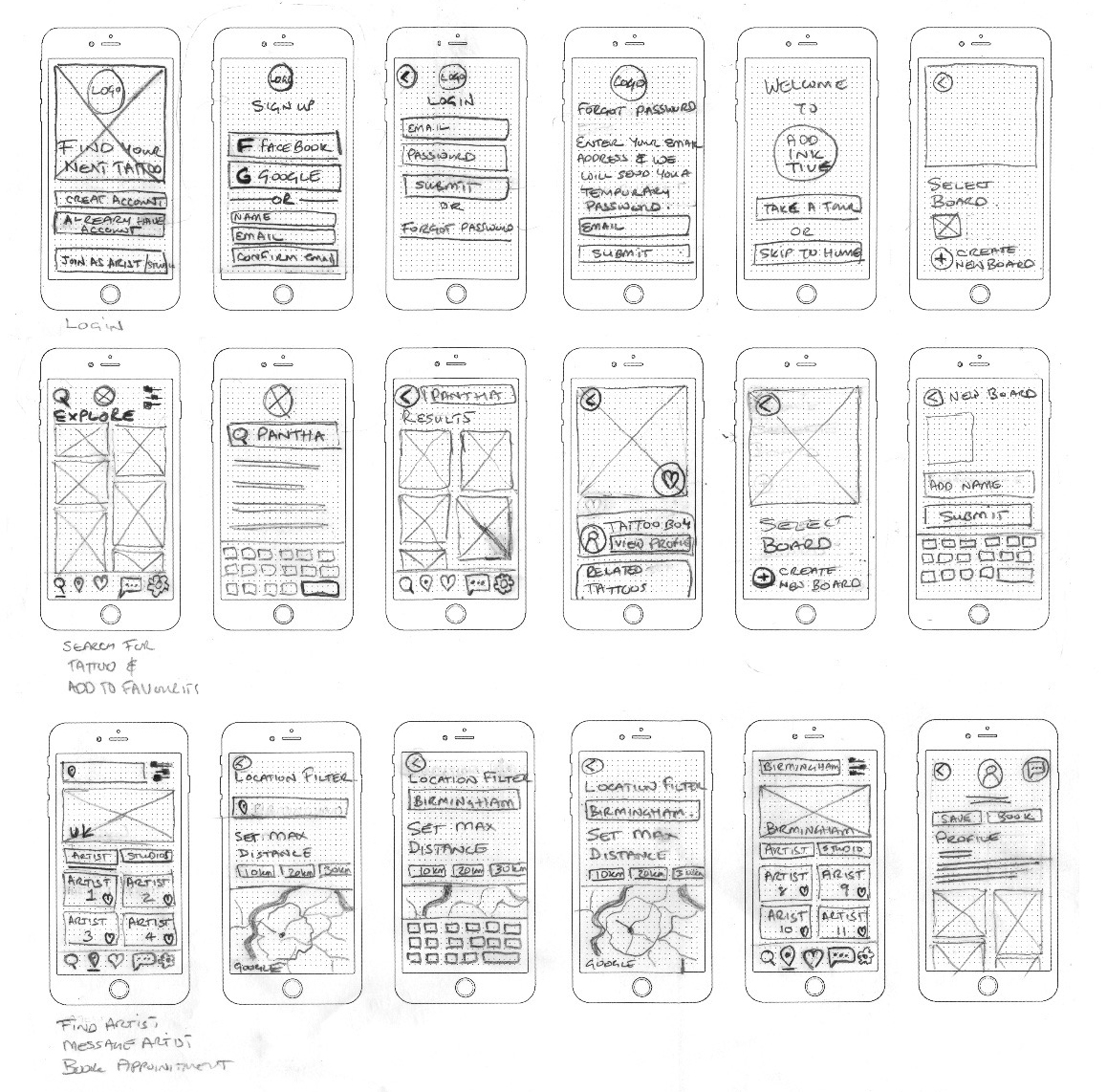
I moved into the design phase and started creating low-fidelity wireframes based on my personas. I developed solutions tailored to the needs I uncovered through my research. Using both quantitative and qualitative data from my participants, I aimed to create the ideal experience for my users.
Due to COVID-19, I conducted user testing remotely using online tools such as Zoom and Skype.
Rapid prototyping provided a great opportunity to get ideas down on paper, allowing me to evaluate my design decisions quickly.
Mid-fidelity wireframes
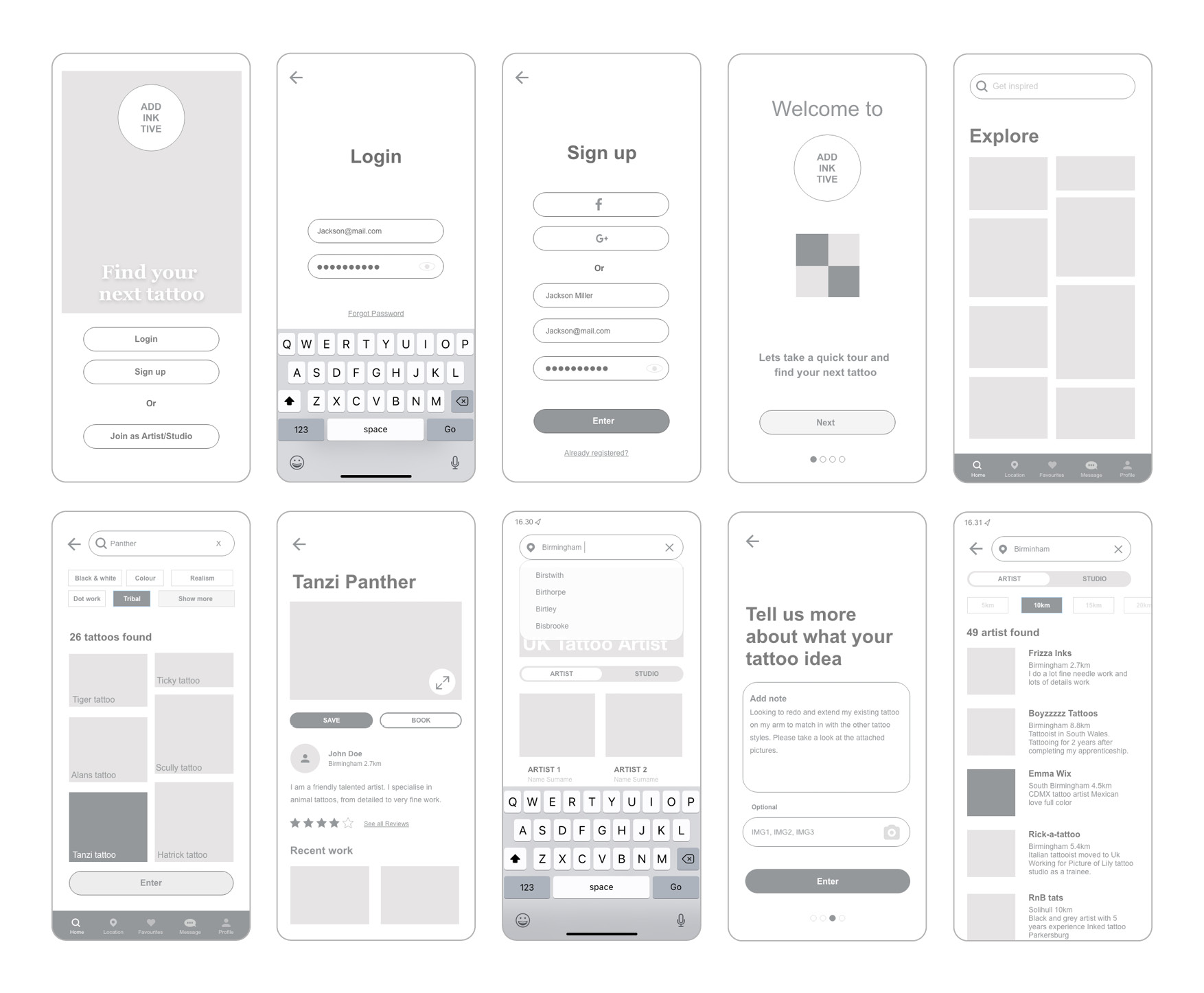
From the low-fidelity wireframes, I created a working prototype using Adobe XD. I conducted two rounds of user testing, and with each iteration, I added more details to the design to re-evaluate and refine my decisions.
Once I addressed the imperfections in my design, the next step was to transform my wireframes into high-fidelity mockups.
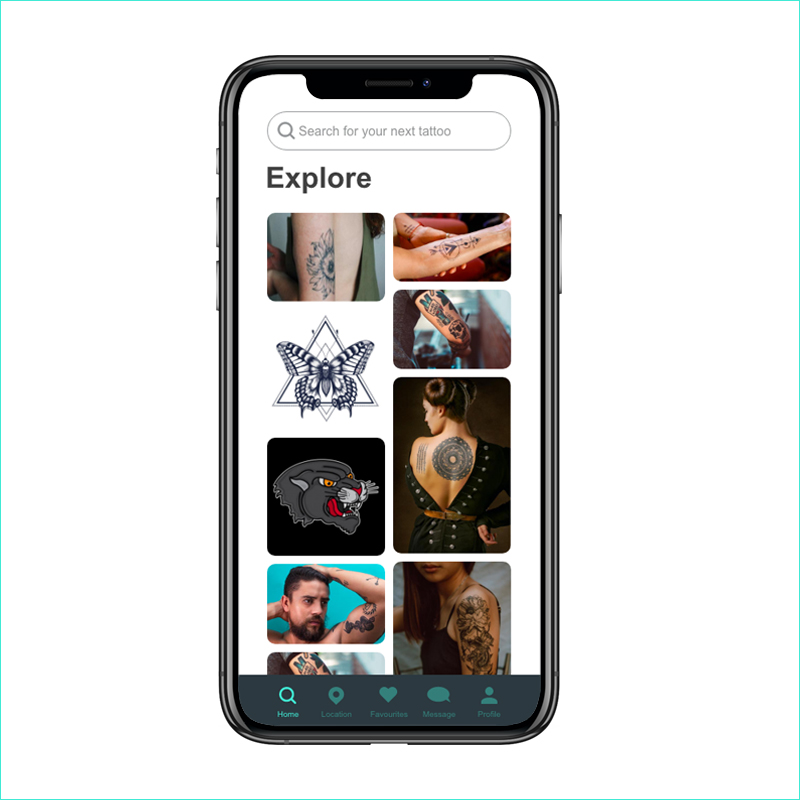
The homepage serves as the starting point to:
- Search for inspiration
- Explore different tattoo styles
- Ensure ease of use
The content of the homepage should be:
- Streamlined
- Clear in showcasing tattoo designs
- Engaging and enticing for the user
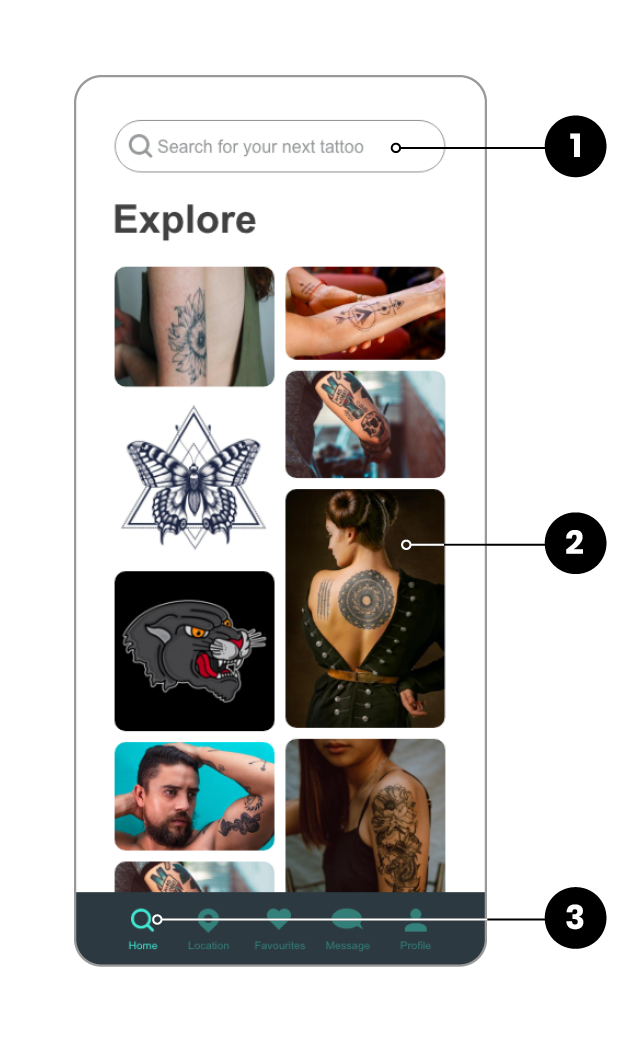
1. Search for a tattoo
- The user can easily search for a tattoo by typing in the search field
- The field will automatically populate with suggestions
2. Big visuals
- An immersive experience that allows the user to view high-quality visuals
3. Easy to navigate
- Icons are clearly labeled to indicate which page the user is currently on
Before
After
Social media refinement
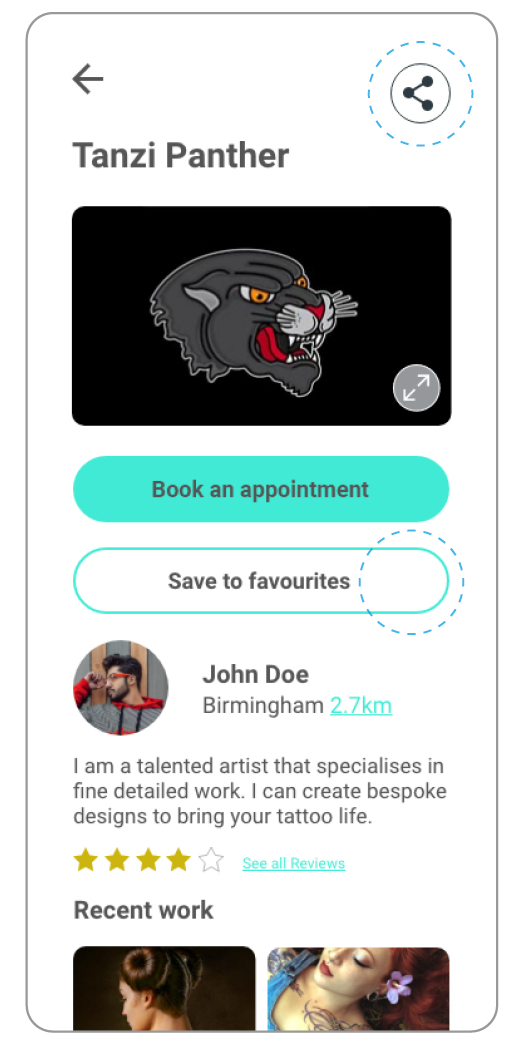
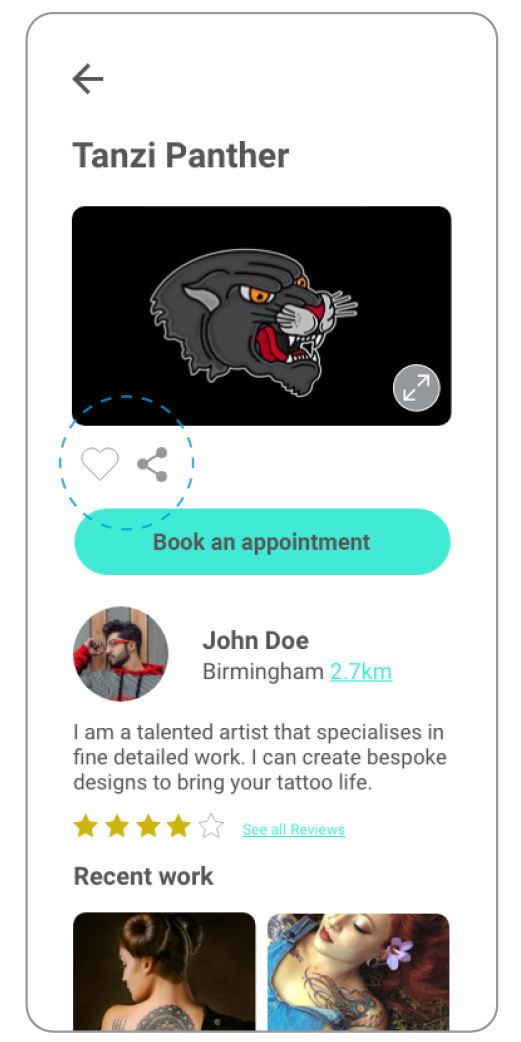
I tested the high-fidelity prototype with users and received valuable feedback. One participant suggested adding icons similar to Instagram to prevent these two buttons from clashing.
Before
After
Radio buttons alteration
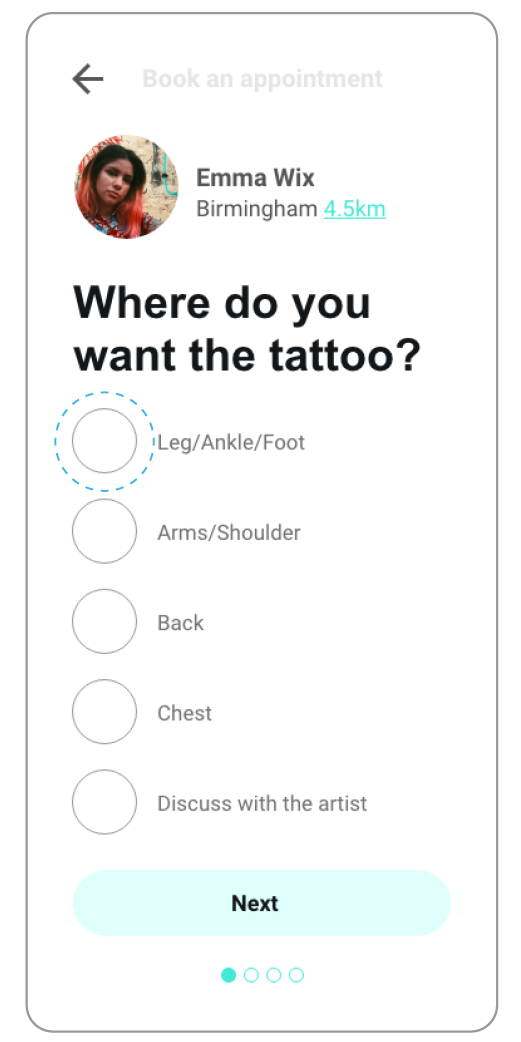
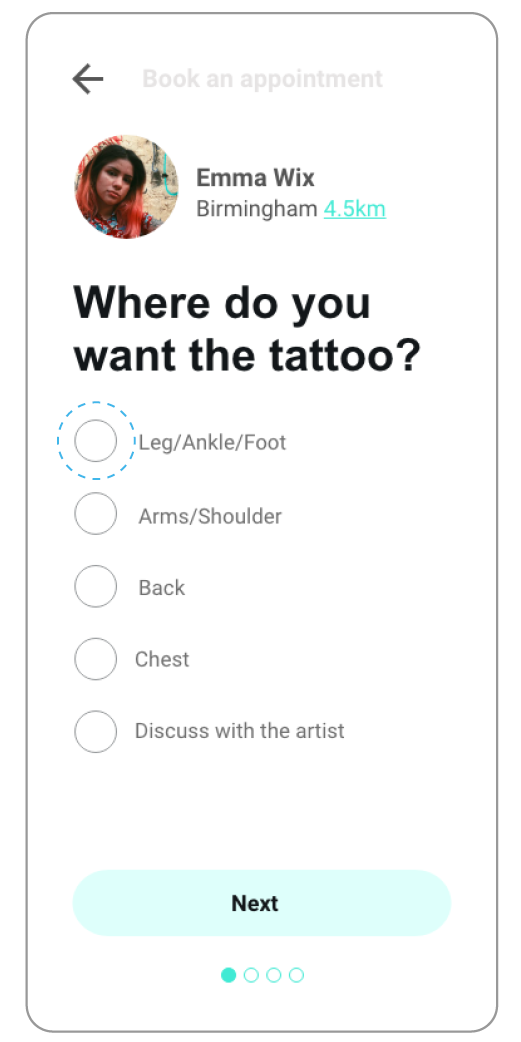
I conducted an A/B preference test with colleagues from the course. The test was easy to set up using the online tool UsabilityHub, and the results clearly showed a preference for the smaller radio buttons.
Addinktive design language
To ensure a consistent, immersive experience for creatives, I designed Addinktive’s design language.
This document provides instructions, elements and specifications for the components used in the app.
Use the left and right arrows to navigate through the information.
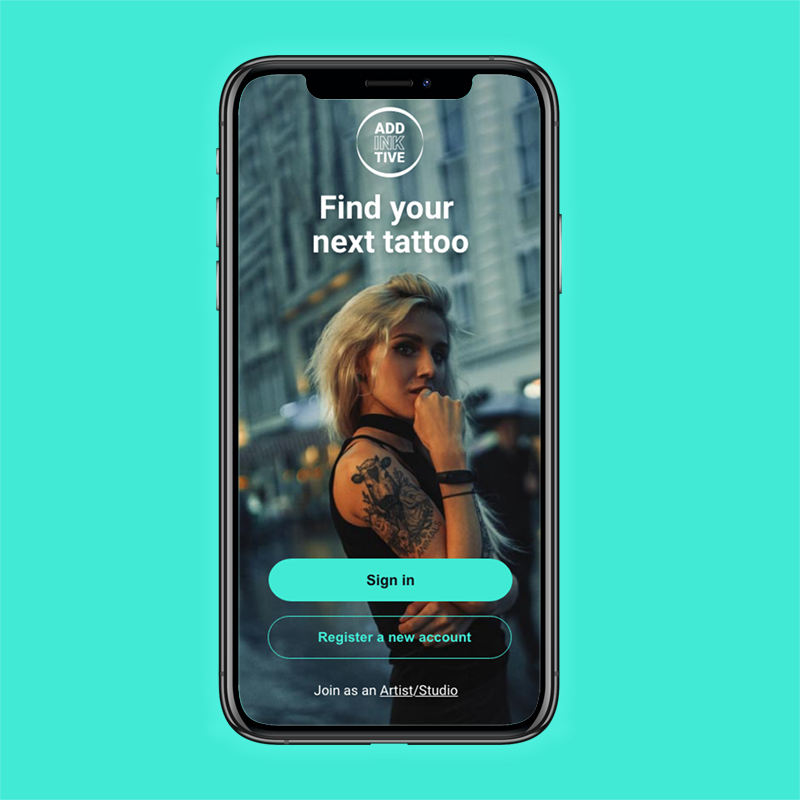
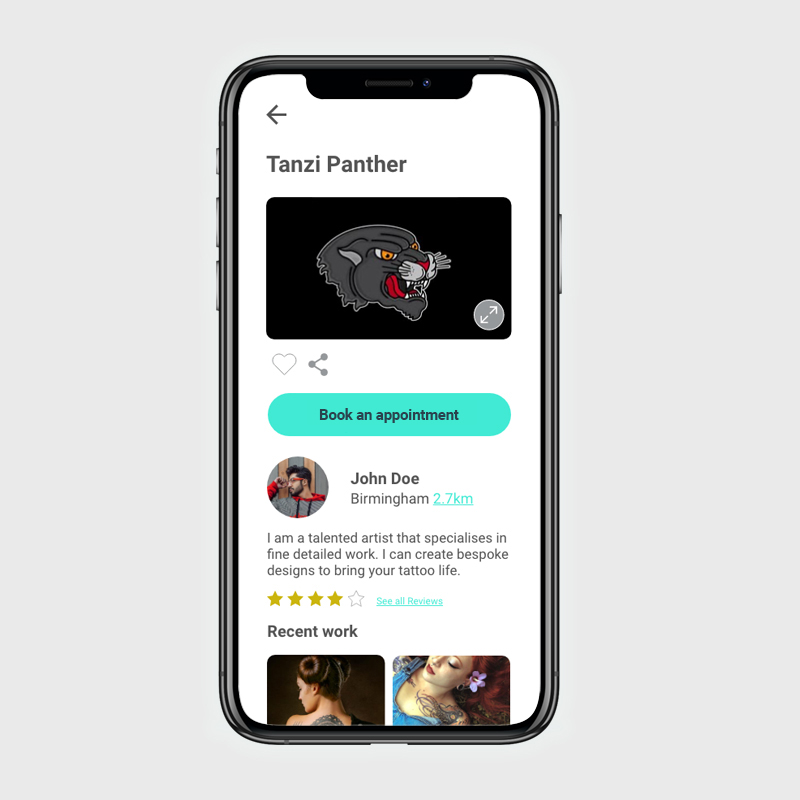
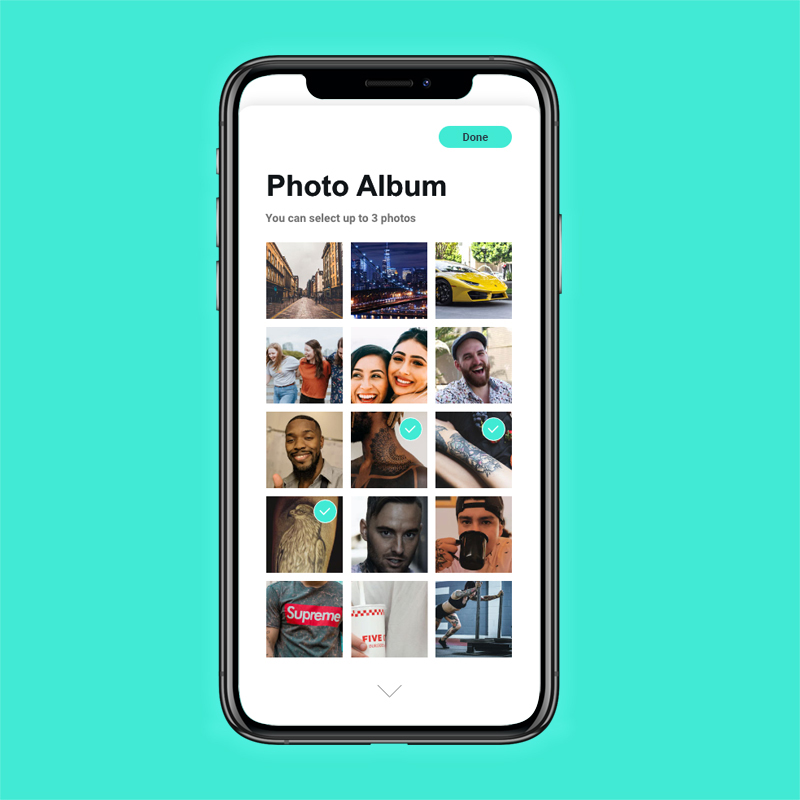
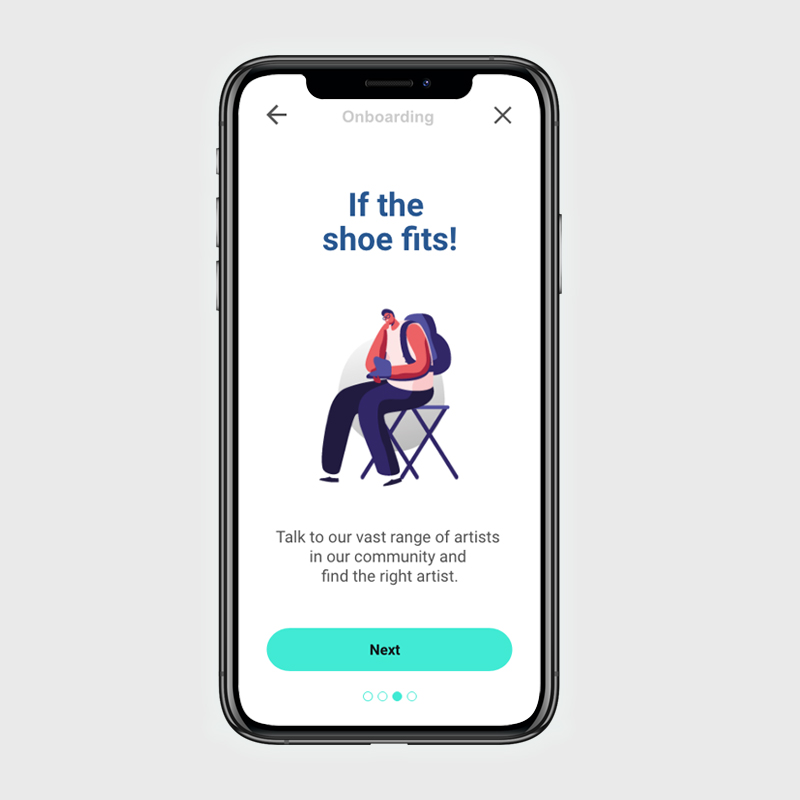
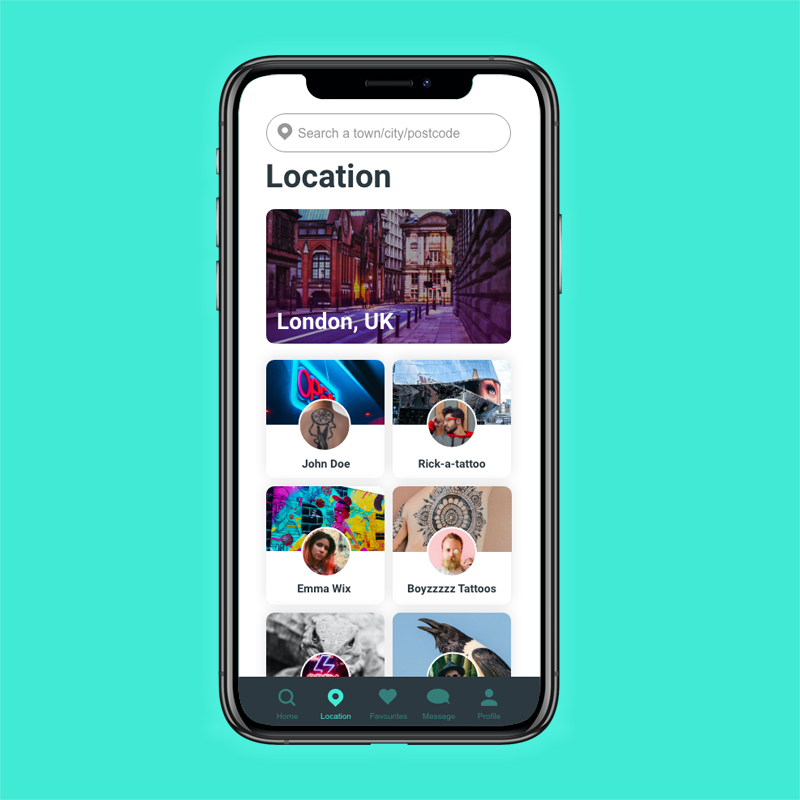
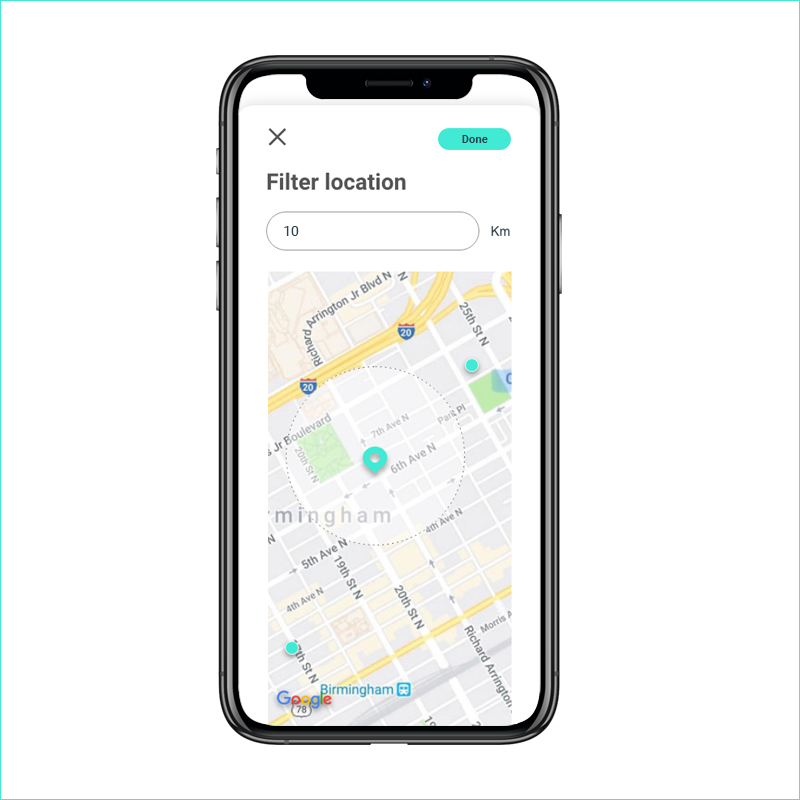
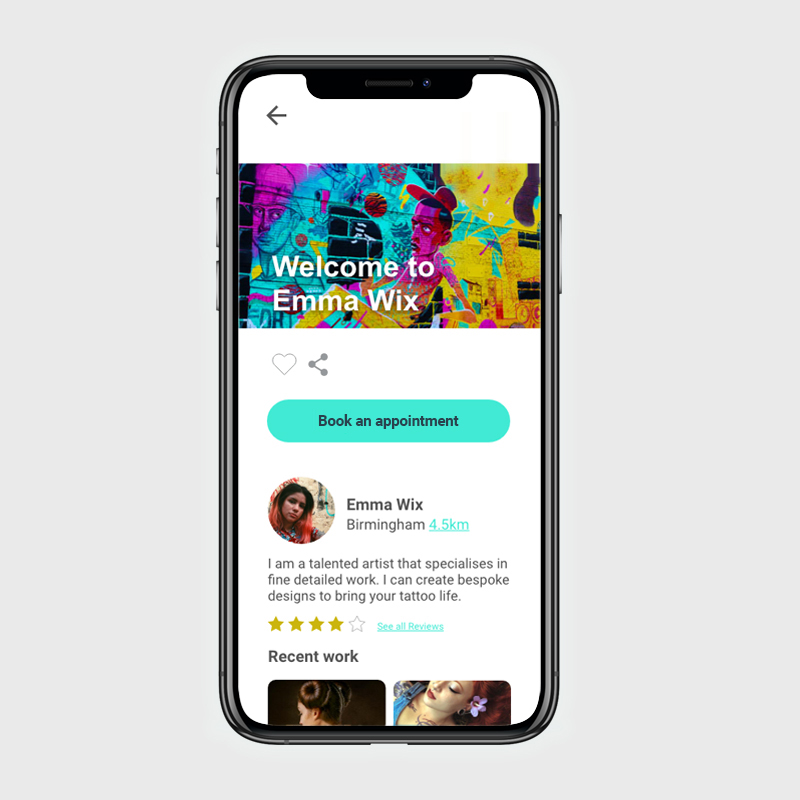
Hi-fidelity mockups
These mockups were designed in Adobe XD.
Interactive prototype
App interactions:
- Create your account
- Search for a tattoo
- Save it to your favorites
- Book an appointment with an artist
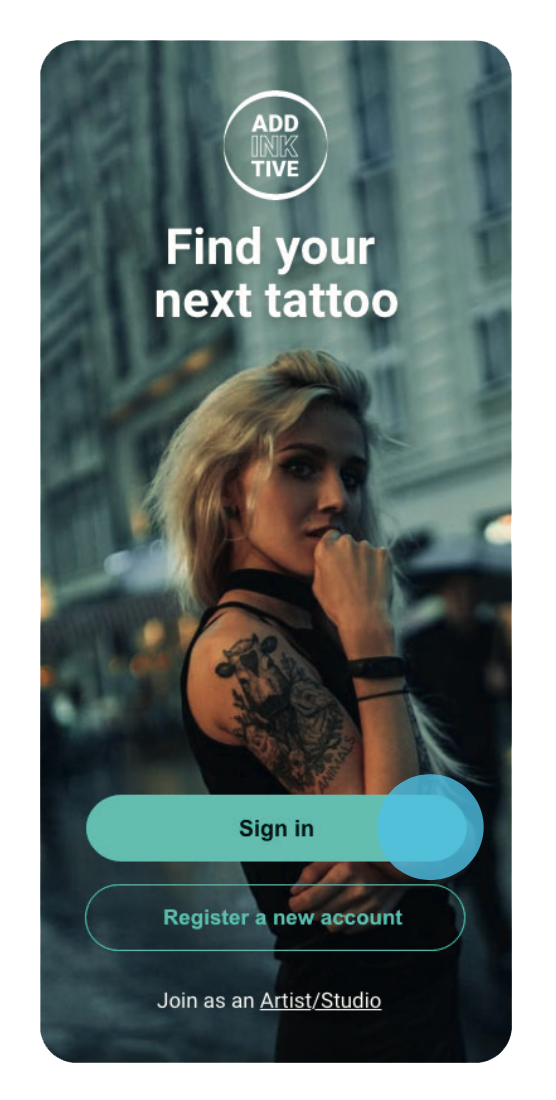
Note: This prototype showcases only parts of the user experience and is not a fully developed product. If you get stuck, click anywhere on the prototype—interactive elements will be highlighted in blue.
This prototype was created using Adobe XD.
Learning & future development
Addinktive was my major project at Career Foundry, where I learned the fundamentals of the UX process. This part of the course gave me a deep understanding of performing market and competitive analyses and interviewing real users.
Key Takeaways
- Keep the user first: It’s easy to forget users’ primary needs during a lengthy design process and apply personal preferences instead. Creating a persona helped me maintain focus on the user and validate my design decisions.
- Negative space is a friend: When designing primarily for mobile, limited space can tempt us to cram too much into the viewport. With guidance from my mentor, I adjusted my designs to space out elements, making information easier to read and creating a calmer user experience.
- Don’t get attached—iteration is key: Staying objective about your own designs can be challenging. Embracing constructive feedback allowed me to improve the app continuously. Testing and retesting were essential for building a smooth, high-performing user experience.